

An open-source knowledge workspace
Your knowledge should outlive the tool.
Write it, shape it, publish it, own it. Nested pages, typed collections, relations and rollups. Built on WordPress, so nothing you write is locked to one app.
Runs as a Mac app, on your own WordPress site, or in your browser.
The workspace
Most notes stay notes. The ones that repeat get a shape.
Write in plain pages until the same details keep coming back. That’s when a shape earns its place: typed fields every entry shares. Drop the view back into the page you were writing.
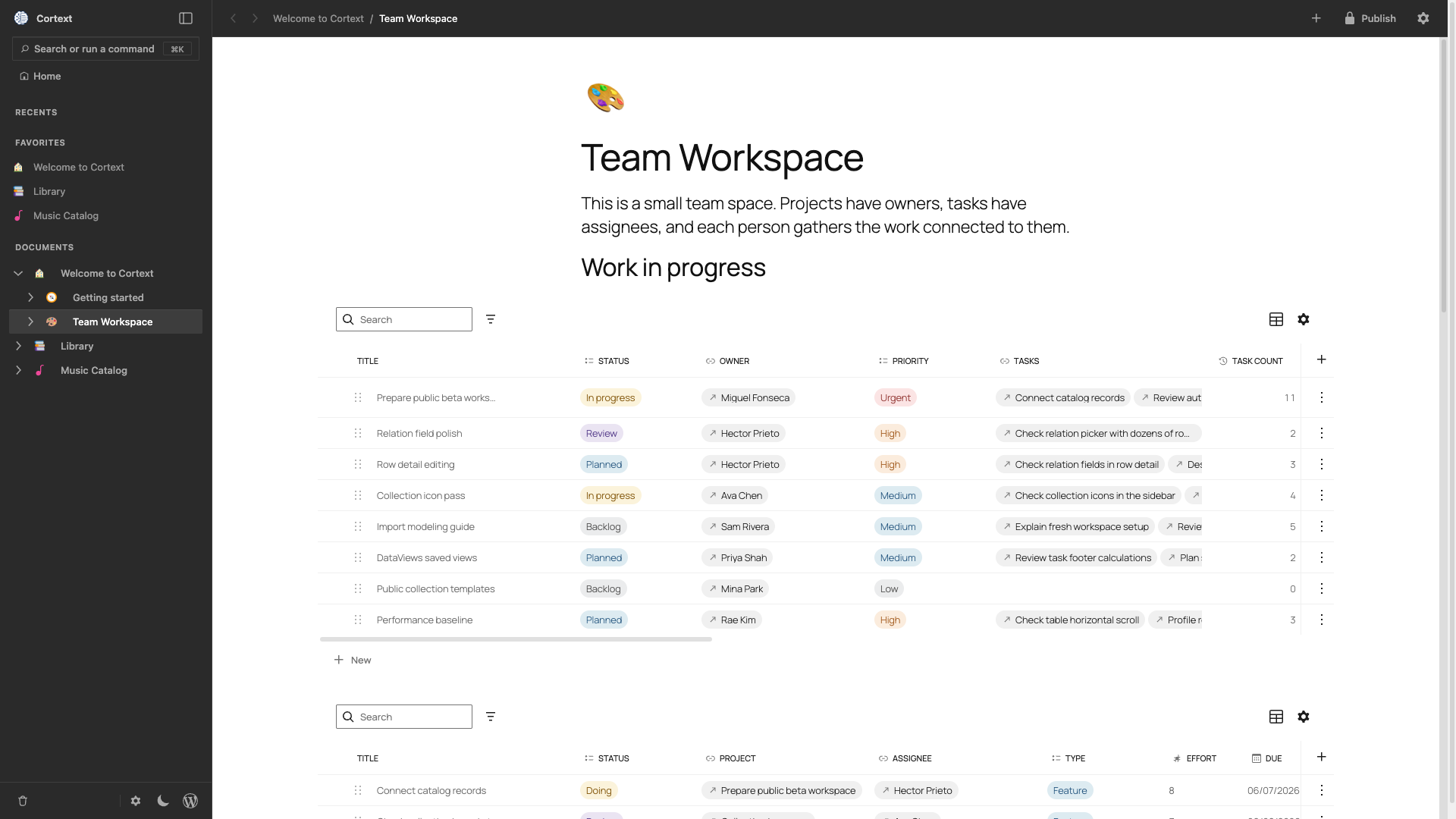
One document, any shape
Prose and fields, on the same page.
Most tools give you a row in a table and a separate document where the real thinking happens. You maintain both, and they drift. Cortext keeps one, so the fields and the writing can never disagree.
01 / PAGES
Nest pages as deep as the work goes.
Each one can hang off another in a sidebar tree, with no fixed depth. Drag to rearrange.
02 / COLLECTIONS
Every field knows what it holds.
Twelve types, from dates and numbers to formulas. Column totals sit at the bottom of the table.
03 / CONNECTIONS
Link two pages once. Both of them know.
A relation field makes its own reverse on the other collection, so nobody maintains the mirror by hand. Rollups total whatever it points at, and typing @ leaves a backlink on the page you mentioned.
04 / OWNERSHIP
Publish a page. The rest stays closed.
No archive, no feed, nothing in your site search. A page gets a public URL when you publish it, and unpublishing takes it straight back.
Open source
The garden is yours. So is the wall.
Most tools decide for you where private ends and public begins. Cortext hands you that line and lets you move it. It is free software under GPLv2-or-later, so you can read the code, run it where you like, and check the rest for yourself.
From the blog
Latest notes
-
Release 0.2
Mentions, backlinks, formula fields, faster workspaces, and a sturdier MacOS app.
No install required
Open the whole thing in a browser tab.
You land in a workspace that already has books linked to authors and projects linked to tasks, so there is something to sort, filter and follow from the first click.